Broken Links Explorer
Broken links can negatively affect both user experience and SEO performance. When a visitor clicks a link that leads to an error page, it creates frustration and can prevent search engines from properly crawling your website.
CrawlRhino includes a Broken Links Explorer that allows you to quickly scan a website and detect links that return errors such as 404 or 500 status codes.
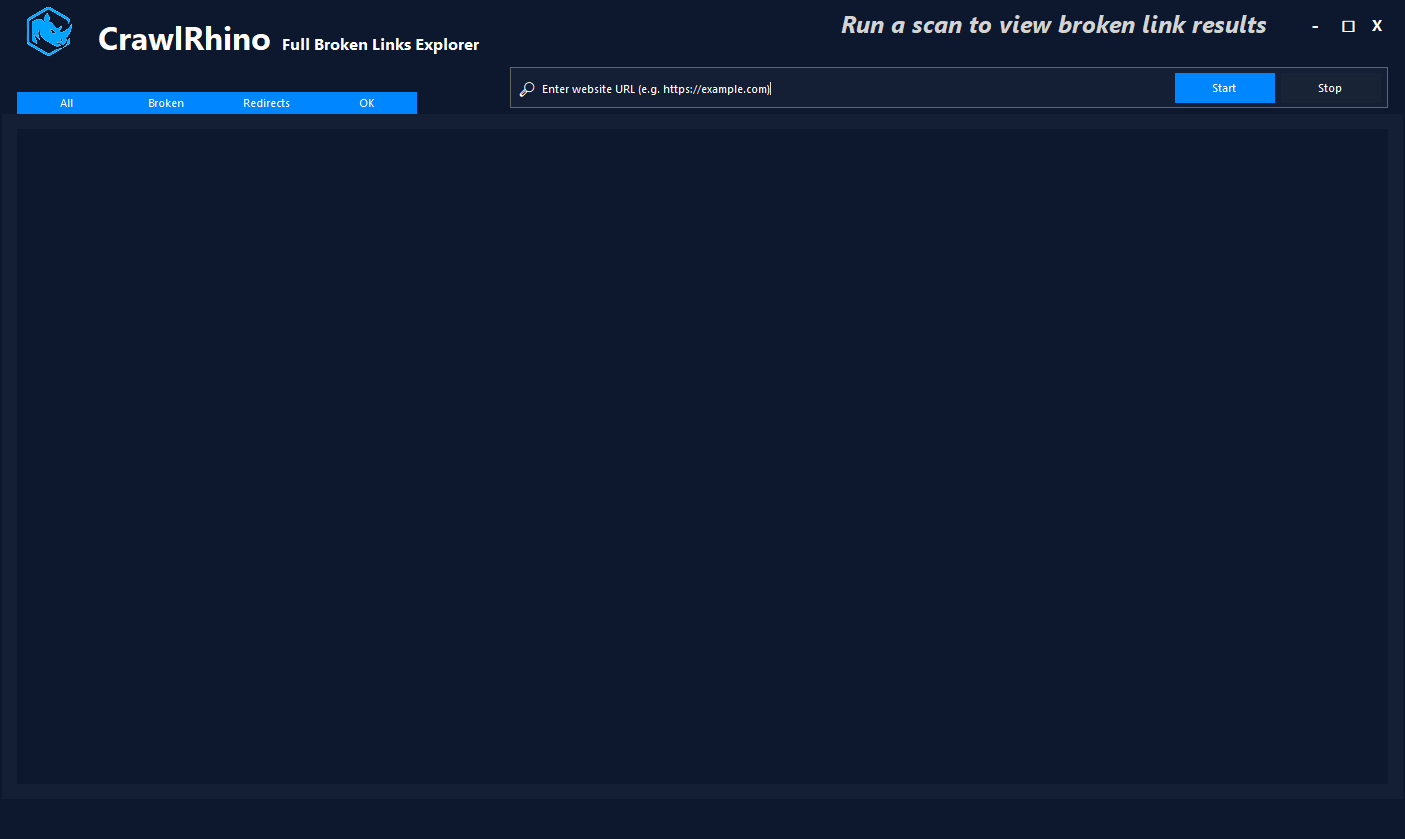
This page explains how to find broken links on a website using CrawlRhino.
What Are Broken Links?
A broken link is a hyperlink that points to a page that no longer exists or cannot be accessed.
When a broken link is requested, the server typically returns an error such as:
404 Not Found
500 Server Error
403 Forbidden
405 Method Not Allowed
Broken links can occur for several reasons, including:
- pages being deleted or moved
- incorrect URLs in links
- website migrations
- outdated internal links
Regularly scanning your website helps ensure all links remain valid.
Why Broken Links Matter for SEO
Broken links can impact both search engines and website visitors.
Poor User Experience
Visitors clicking a broken link will reach an error page instead of the expected content.
This can increase bounce rates and reduce trust in the website.
Reduced Crawl Efficiency
Search engines use crawlers to discover and index pages. Broken links waste crawl resources and may prevent important pages from being discovered.
Lost Internal Link Value
Internal links distribute authority across your website. If links point to missing pages, that value is lost.
Using the Broken Links Explorer
CrawlRhino’s Broken Links Explorer allows you to scan a website and verify the status of every discovered link.
The scanner checks each link and records the HTTP response returned by the server.
Step 1: Enter the Website URL
Open the Broken Links Explorer and enter the website URL into the input field.

Example:
https://example.com
Click Start to begin scanning the website.
Step 2: Scan the Website
CrawlRhino will begin checking each discovered link and recording the response returned by the server.
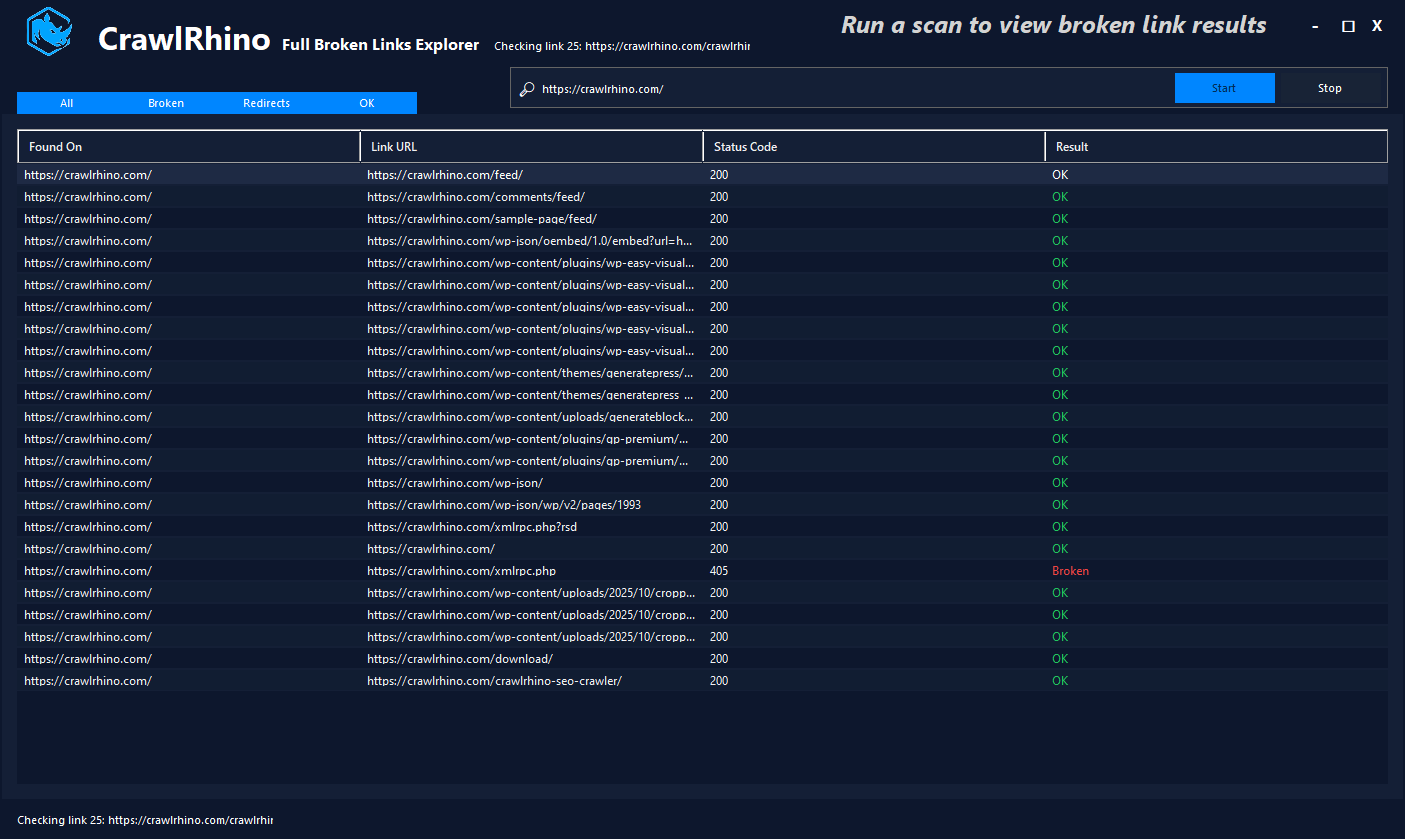
During the scan, the tool verifies:
- internal links
- resource links
- page URLs
- redirects
- broken URLs
The status of each link is displayed in real time.
Step 3: Review Link Results
Once the scan begins, CrawlRhino displays the results in a table showing:
- Found On – the page where the link was discovered
- Link URL – the destination of the link
- Status Code – the HTTP response returned by the server
- Result – the link status (OK, Redirect, or Broken)
This allows you to quickly identify which pages contain broken links.
Filtering Link Results
CrawlRhino provides several filters to help analyze link results quickly.
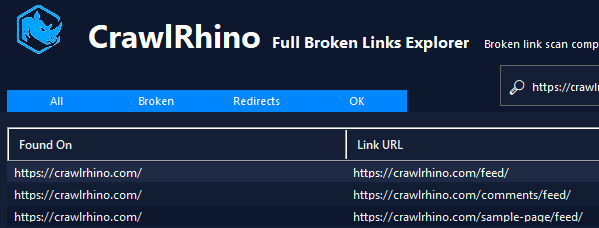
You can view links by category:
- All – shows every scanned link
- Broken – displays only links that returned errors
- Redirects – shows links that redirect to another page
- OK – displays links that returned a valid response
These filters allow you to focus specifically on problematic links that require attention.
Identifying Broken Links
Broken links typically return error status codes such as:
404 Not Found
500 Server Error
405 Method Not Allowed
When a broken link is detected, the result column will display Broken, allowing you to quickly locate the affected link.
You can then review the Found On column to determine which page contains the problematic link.
Fixing Broken Links
Once broken links are identified, they can usually be fixed by:
- correcting the link URL
- updating the link to the correct page
- adding a redirect to the new location
- removing the link if the page no longer exists
Fixing broken links improves both website usability and technical SEO performance.
Running Broken Link Checks Regularly
Websites change frequently as pages are updated, moved, or removed. Running regular scans helps ensure broken links are detected early.
Using CrawlRhino to scan your website for broken links helps maintain a healthy internal linking structure and ensures visitors do not encounter error pages.
Download CrawlRhino SEO Crawler
If you want to perform detailed website audits and technical SEO analysis, CrawlRhino provides a fast and powerful alternative to traditional SEO spider software.
You can download CrawlRhino and start crawling websites immediately.