CrawlRhino SEO Spider Software Update 1.1.28.0
We’ve just rolled out a new update to CrawlRhino SEO spider software, focusing on something that matters more than anything else when using an SEO spider tool… actually getting things done faster.
If you’ve used any SEO spider or website crawler before, you’ll know the frustration. You run a crawl, export data, jump between tools, and spend more time working around the tool than using it.
This update is all about fixing that.
What’s New in CrawlRhino SEO Spider 1.1.28.0
This update focuses on making CrawlRhino SEO spider software quicker and easier to use day to day. Rather than just adding more data, we’ve improved how you interact with your crawl results, making it faster to take action, spot issues, and manage your projects. From new right-click options to smarter UI behaviour and better control over your workspace, everything in this release is designed to streamline your workflow when using our SEO spider tool.
More Powerful Crawl Result Actions (Right-Click Context Menu)
One of the biggest upgrades in this release is the new context menu inside crawl results.
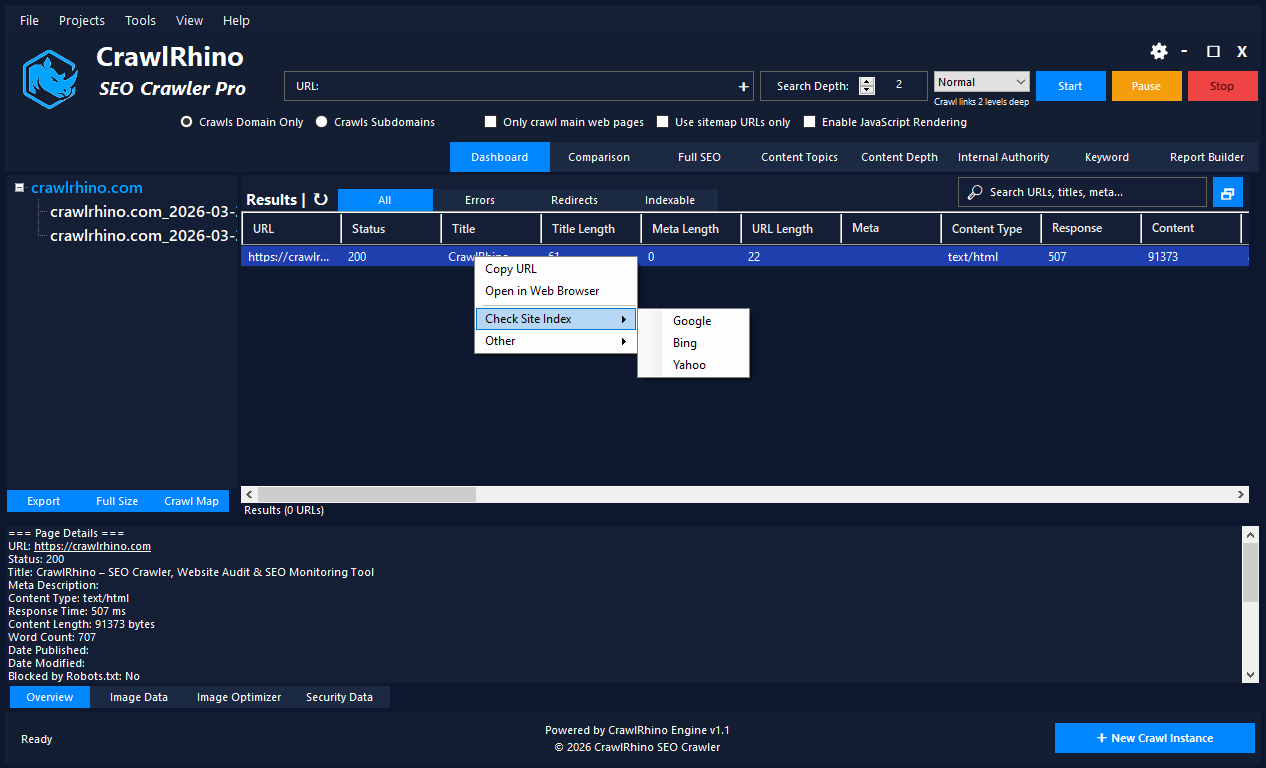
Instead of exporting URLs and opening multiple tools manually, you can now:
- Copy URLs instantly
- Open pages directly in your web browser
- Check if a page is indexed in search engines which opens your web browser
- View historical versions via Wayback which opens your web browser
- Run a Google PageSpeed Insights test which opens your web browser
This turns CrawlRhino from just another SEO spider tool into something you can actually work from, not just analyse.
New SEO Issue Highlighting
We’ve introduced a new feature that highlights SEO issues directly within crawl results.
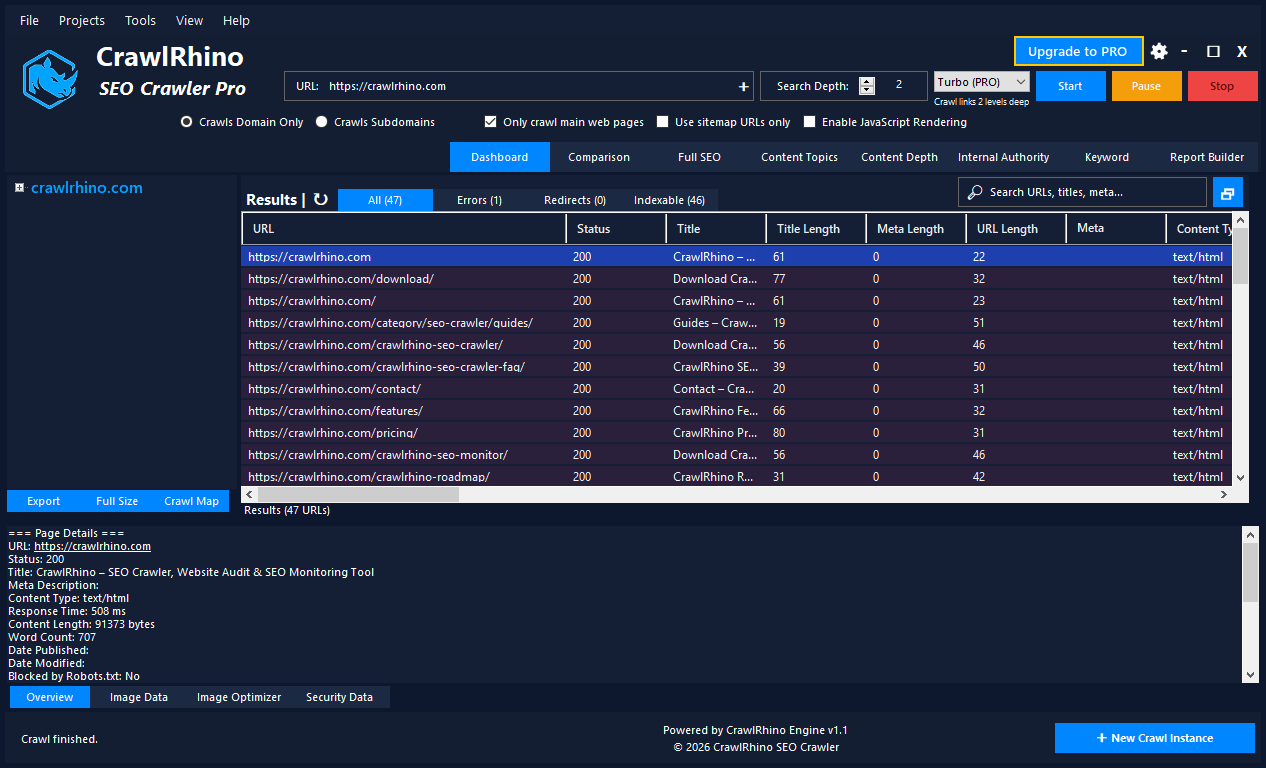
No more digging through rows of data trying to spot problems. CrawlRhino now helps surface issues visually, making it much quicker to identify:
- Pages with potential optimisation issues
- Technical SEO problems
- Areas that need attention immediately
For anyone used to traditional SEO spider software, this is a big shift towards faster decision-making.
New Top Menu Bar for Easier Navigation
We’ve added a full menu bar to the top of CrawlRhino to improve navigation and access to key features.
Whether you’re running a crawl, reviewing data, or adjusting settings, everything is now easier to find and quicker to use.
Improved Crawl Management (TreeView Updates)
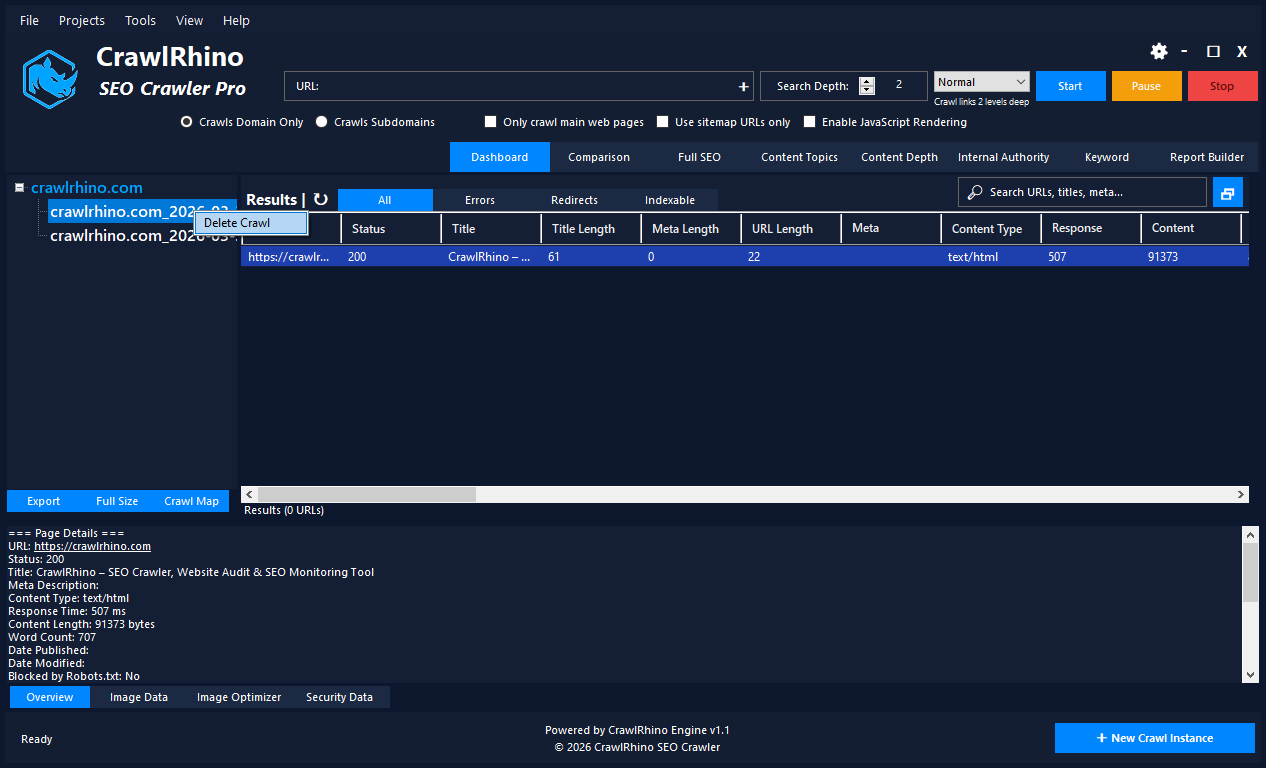
Managing multiple crawls is now much smoother:
- You can now delete crawls directly from the TreeView via right-click
- TreeView remembers its last resized position
These small changes make a big difference when working on multiple sites or projects inside your SEO spider workflow.
More Control Over the Dashboard
Not everyone needs the stats panel all the time, so we’ve added:
- Option to hide the top stats dashboard
This gives you a cleaner workspace when you want to focus purely on crawl data.
Settings UI Improvements
We’ve updated the Settings tab UI to make it cleaner and easier to use.
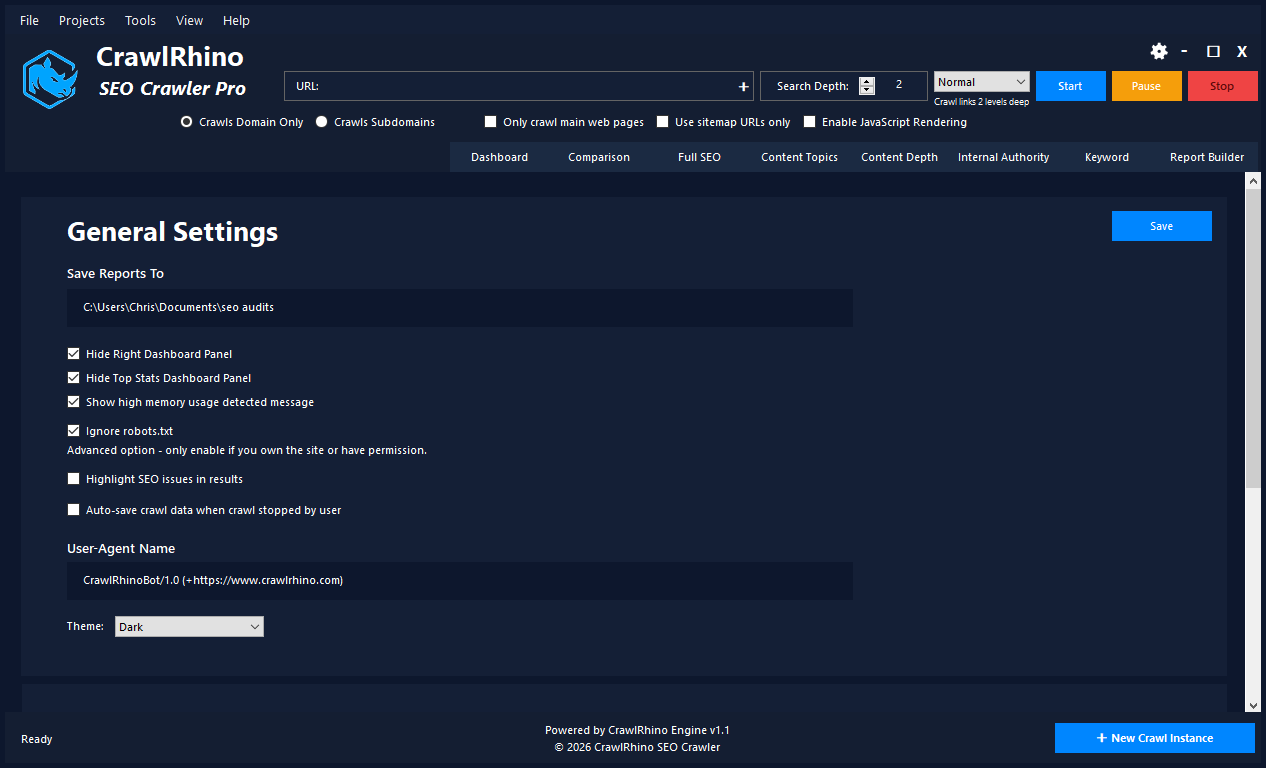
It’s a small change, but part of the bigger goal of making CrawlRhino a more user-friendly SEO spider software alternative.
Smarter Window & Layout Memory
CrawlRhino now remembers how you like to work:
- Remembers last window position
- Remembers if the window was maximised
- Remembers window size after resizing
This means every time you open the tool, it feels consistent and ready to go.
Why This Matters for SEO Spider Users
SEO spider tools are powerful when it comes to collecting data, but the way that data is presented and used in day-to-day workflows can make a big difference.
This update continues to push CrawlRhino in a slightly different direction:
Not just crawling websites
But helping you act on the results instantly
What’s Next for CrawlRhino SEO Spider Software
We’re continuing to focus on features that solve real problems, not just add complexity.
Some things currently being explored:
- Tracking changes between crawls
- Cookie detection for compliance audits
- Even deeper SEO issue analysis
Download CrawlRhino SEO Crawler: