We’ve just shipped a much bigger update to Crawlrhino, and this one is less about surface features and more about how you actually use the tool day to day. If you’ve been relying on a seo spider or working with any kind of seo spider tool for audits, you’ll know that crawling is only half the job. The real value comes from how you organise, revisit, and compare that data over time.
That’s exactly what this release focuses on.
Version 1.1.26.0 introduces proper project structure, saved crawl sessions, and historical tracking. In short, Crawlrhino SEO Crawler is no longer just something you run once and export from. It’s now something you can work inside of.
A better way to manage your crawls
One of the biggest changes in this update is the introduction of the Projects window.
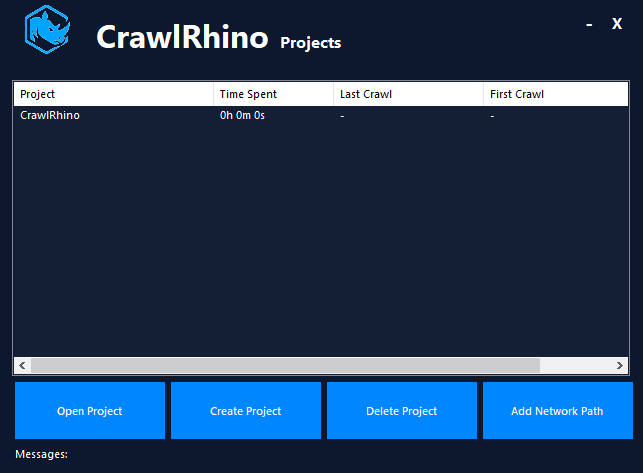
Before this, everything lived in a more temporary state. You would run a crawl, analyse it, export what you needed, and move on. That works for quick audits, but it starts to break down when you’re handling multiple websites or ongoing SEO work.
Now, you can create separate projects for each website and keep everything neatly organised in one place.
This shift alone makes Crawlrhino SEO Crawler feel much more like a complete seo spider software rather than just a standalone crawler.
Crawl data that actually sticks around
Another major improvement is persistent crawl data.
Previously, once you closed the app, your crawl session was gone unless you had exported it. That meant you either had to keep the tool open or rerun crawls, which isn’t ideal, especially on larger sites.
Now, crawl data is saved automatically.
You can close Crawlrhino SEO Crawler, come back later, and pick up exactly where you left off. Your data is still there, ready to explore. This makes the tool far more practical for real-world use, particularly if you’re running large crawls or working across multiple sessions.
For anyone using a seo spider crawler as part of their regular workflow, this is one of those changes that quickly becomes essential.
Timestamps for clearer tracking
We’ve also added timestamps to every crawl.
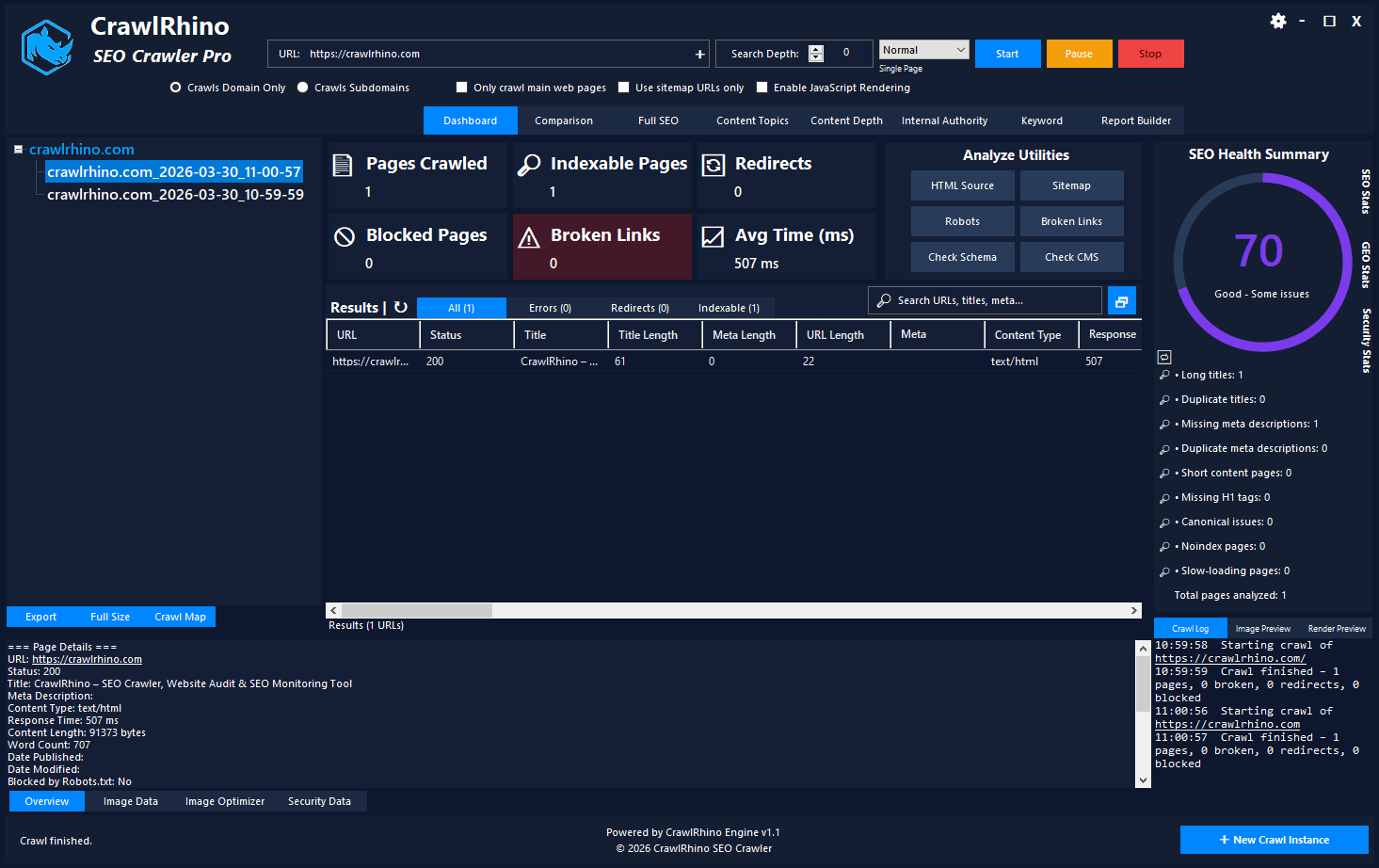
It sounds simple, but it adds a lot of clarity. You can now see exactly when a crawl was run, which helps when reviewing data or comparing different snapshots of a site.
If you’re auditing a site before and after changes, or keeping an eye on technical SEO over time, this gives you proper context. You’re no longer guessing which crawl is the latest or trying to keep track manually.
For those relying on seo spiders to monitor site health, this makes ongoing analysis much easier to manage.
Run multiple crawls and keep the history
Another key improvement is the ability to run multiple crawls on the same website without losing previous ones.
Before, running a new crawl would effectively replace the old one. Now, each crawl is stored as part of a history within the project.
This means you can:
- Compare different crawls over time
- Track improvements or issues after changes
- Look back at previous site states
- Build a timeline of technical SEO performance
This turns Crawlrhino SEO Crawler into more than just a spider seo tool. It becomes something you can use for ongoing analysis, not just one-off audits.
If you’ve ever needed to answer questions like “what changed between last month and now?” this feature makes that possible without extra effort.
Proper project-level data tracking
To support all of these changes, we’ve introduced proper project tracking behind the scenes.
Each project now stores its own crawl data, history, and structure. Everything is isolated and organised, so you don’t end up mixing data between different websites.
This might not be the most visible feature, but it’s one of the most important. It lays the groundwork for a more structured and scalable experience, especially if you’re managing multiple sites.
It also means Crawlrhino SEO Crawler is better suited for long-term use as a seo spider tool rather than something you only open occasionally.
Why this update matters
This release is really about shifting how Crawlrhino fits into your workflow.
Before, it worked well as a quick seo spider for audits. You’d crawl a site, extract insights, and move on.
Now, it’s built for continuity.
You can organise your work, come back to previous crawls, track changes over time, and manage multiple sites without everything becoming messy. That’s a big step forward if you’re doing ongoing SEO, technical audits, or regular site monitoring.
It also makes Crawlrhino SEO Crawler a strong option if you’re looking for a more structured seo spider software experience without unnecessary complexity.
What’s next
This update lays the foundation for a lot more to come. Now that projects, history, and saved data are in place, there’s much more we can build on top of it.
As always, we’ll keep improving things based on how people are actually using the tool.
If you’ve already been using Crawlrhino SEO Crawler, this update should make your workflow noticeably smoother. And if you’re just getting started, it’s now in a much better place to support real, ongoing SEO work.
Download CrawlRhino SEO Crawler: