Large images can significantly slow down a website and negatively affect page speed, user experience, and SEO performance. Optimizing images by compressing and resizing them can reduce page weight and improve loading times.
CrawlRhino SEO Crawler includes an Image Optimizer that allows you to compress images and resize oversized images discovered during a crawl.
This page explains how to use the Image Optimizer to reduce image file sizes and improve website performance.
Accessing the Image Optimizer
The Image Optimizer is available within the crawl results after a website scan has completed.
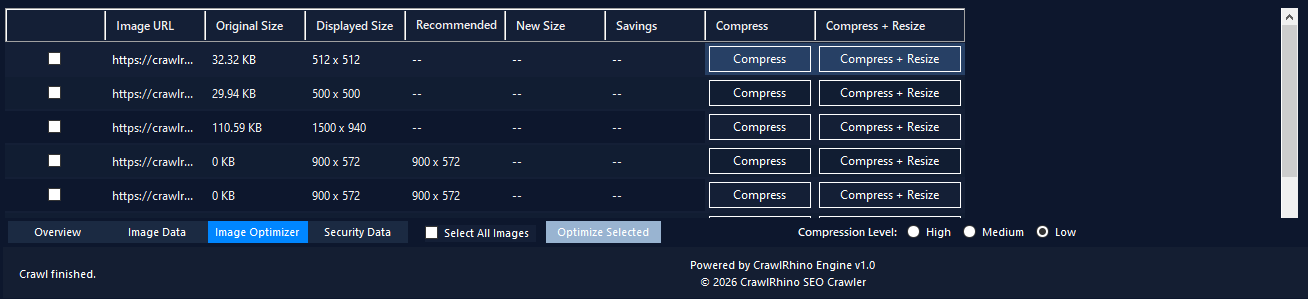
To access it:
- Run a crawl of your website.
- Navigate to the Image Optimizer tab.
- CrawlRhino will display all discovered images that can be optimized.
The optimizer works alongside the Image Data tab, allowing you to identify image issues and immediately apply optimizations.
Image Optimizer Overview
The Image Optimizer table displays information about each image discovered during the crawl.
This includes:
Image URL
The direct URL of the image file found on the website.
Original Size
Displays the current file size of the image before optimization.
Large images typically benefit the most from compression.
Displayed Size
Shows the size the image is displayed at within the webpage.
If the displayed size is significantly smaller than the original image dimensions, the image may be unnecessarily large.
Recommended Size
When applicable, CrawlRhino suggests a recommended size based on how the image is displayed on the page.
This helps identify images that should be resized to reduce file size.
New Size
Displays the estimated size of the image after optimization.
Savings
Shows how much file size can potentially be reduced through compression or resizing.
This helps prioritize which images should be optimized first.
Optimizing Images
CrawlRhino provides two main optimization options.
Compress
The Compress option reduces the image file size without changing its dimensions.
Compression removes unnecessary image data while maintaining visual quality.
Compress + Resize
The Compress + Resize option both compresses the image and resizes it based on the recommended display size.
This can significantly reduce file size when images are much larger than their displayed dimensions.
Bulk Image Optimization
Multiple images can be optimized at once.
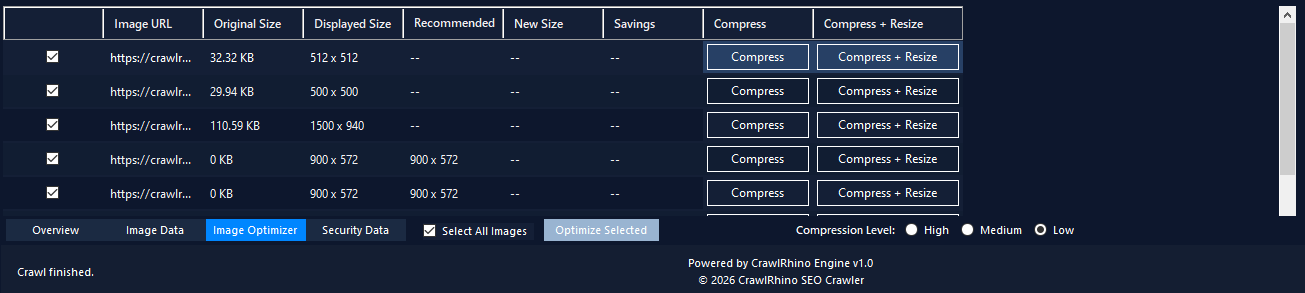
To optimize several images:
- Select the images you want to optimize.
- Enable Select All Images if needed.
- Click Optimize Selected.
This allows you to quickly compress large numbers of images discovered during the crawl.
Compression Levels
CrawlRhino allows you to choose the compression level before optimizing images.
Available options include:
- High – maximum compression and smallest file size
- Medium – balanced compression with minimal quality loss
- Low – lighter compression with higher image quality
Choosing the appropriate level depends on your website’s performance requirements.
Why Image Optimization Matters for SEO
Optimized images can improve several important aspects of a website.
Faster Page Speed
Smaller images load faster, improving page performance and Core Web Vitals.
Reduced Bandwidth Usage
Compressed images reduce the amount of data transferred to visitors.
Improved User Experience
Faster pages create a better browsing experience for users.
Combining Image Analysis and Optimization
CrawlRhino’s Image Data and Image Optimizer features work together.
First use Image Analysis to identify:
- missing alt text
- large images
- oversized dimensions
- slow-loading images
Then use the Image Optimizer to compress and resize images that need improvement.
Next Step
After optimizing images, you can continue analyzing your website using CrawlRhino’s other SEO tools to identify additional technical issues and performance opportunities.
Download CrawlRhino SEO Crawler
If you want to perform detailed website audits and technical SEO analysis, CrawlRhino provides a fast and powerful alternative to traditional SEO spider software.
You can download CrawlRhino and start crawling websites immediately.