
JavaScript Rendering & Full Data Explorer
Version 1.1.20 is one of the largest updates to CrawlRhino so far, introducing full JavaScript rendering alongside a brand new Full Data Explorer designed for deeper SEO analysis.
Key Highlights
- JavaScript rendering powered by Chromium
- Analysis based on the fully rendered DOM
- New Full Data Explorer workspace
- Real-time filtering with active filter tracking
- Faster investigation of large crawl datasets
This update moves CrawlRhino beyond traditional HTML crawling and closer to how modern search engines actually process websites.
JavaScript Rendering Added (Chromium-Based)

Modern websites increasingly rely on JavaScript frameworks to load content dynamically. Traditional crawlers often analyse only the initial HTML response, which can lead to incomplete SEO audits.
In Version 1.1.20, CrawlRhino now includes JavaScript rendering using a real Chromium browser engine.
This allows CrawlRhino to operate as a JavaScript-capable SEO crawler for Windows, capable of analysing pages after scripts have executed — not just before.
During rendering, CrawlRhino now loads pages in a headless Chromium environment and captures the fully rendered state of each page.
This enables detection of:
- Dynamically generated page content
- Client-side navigation and JavaScript redirects
- Rendered titles and meta descriptions
- JavaScript-inserted internal links
- The final DOM structure seen by modern search engines
- Browser-level loading and rendering behaviour
For websites built using React, Vue, Angular, or other modern frameworks, this significantly improves crawl accuracy.
Importantly, rendering runs locally on Windows without cloud processing or usage credits.
Why JavaScript Rendering Matters for SEO
Search engines render pages before indexing them. If an SEO crawler cannot do the same, important issues may remain hidden.
Common problems now visible inside CrawlRhino include:
- pages appearing empty in raw HTML
- delayed content affecting indexability
- missing internal links before render
- JavaScript-based redirects
- performance bottlenecks caused by scripts
By introducing JavaScript rendering directly into the crawl workflow, CrawlRhino SEO Crawler analyses pages in a way that more closely reflects how Googlebot processes modern websites.
New Feature: Full Data Explorer
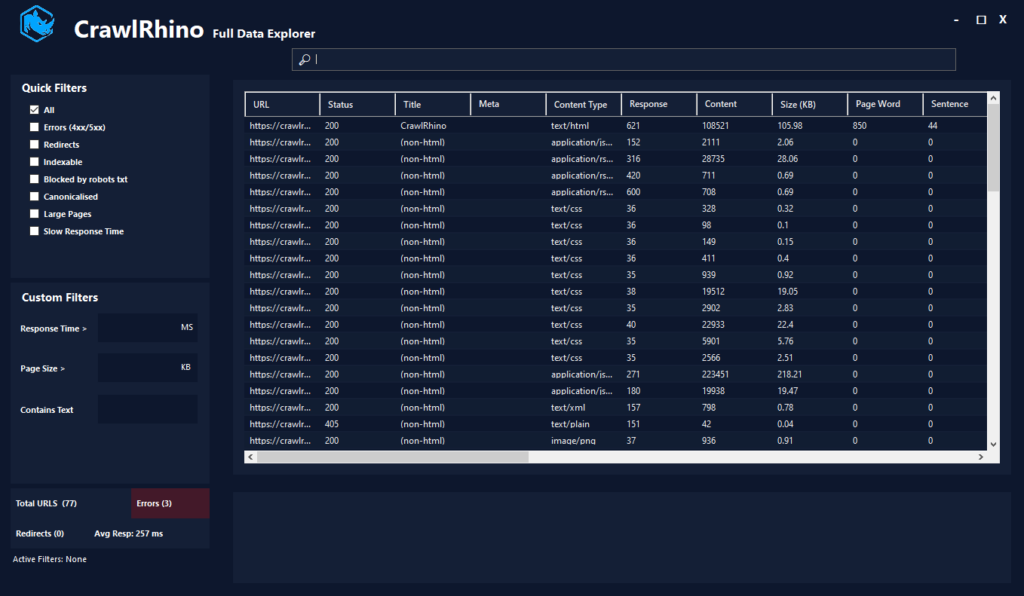
Alongside rendering improvements, Version 1.1.20 introduces the Full Data Explorer, a dedicated workspace for analysing crawl results.
Large crawls generate large datasets, and this new window was built to make investigation faster without overwhelming users with complex menus.
The Full Data Explorer includes live SEO filtering designed specifically for technical audits.
Available filters include:
- HTTP status filters (errors and redirects)
- Indexable page filtering
- robots.txt blocking detection
- Canonicalised URLs
- Large page identification
- Slow response time analysis
- Word and URL search
Filters apply instantly, allowing users to isolate issues across an entire crawl in seconds.
Real-Time Filtering & Active Filter Tracking
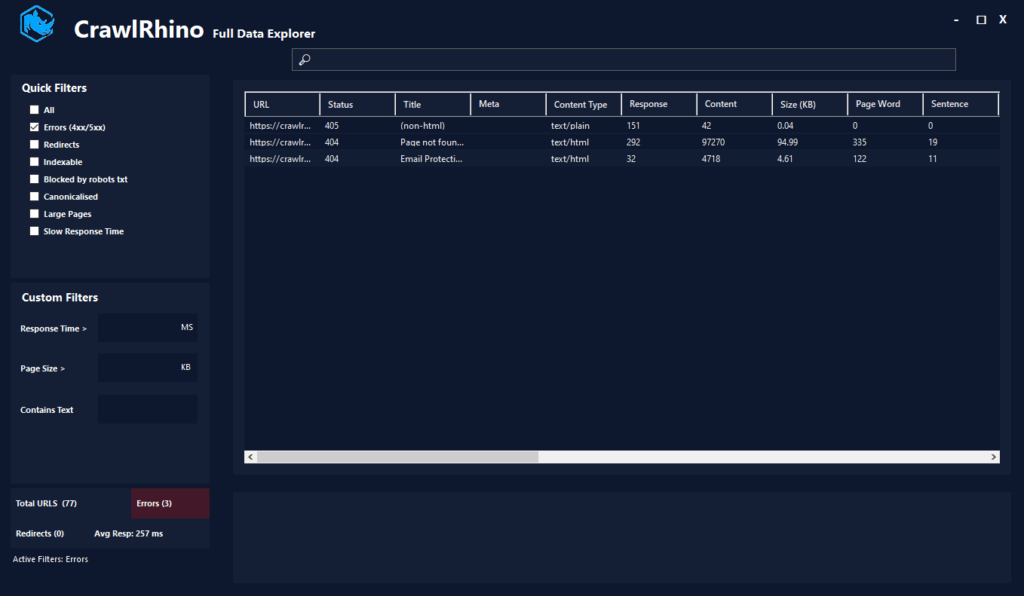
Filters now update results live as values are entered, removing the need to manually refresh datasets.
An Active Filters indicator shows exactly which conditions are currently applied, making analysis clearer when working with multiple filters simultaneously.
Improved Data Exploration Workflow
The Full Data Explorer also introduces:
- resizable borderless window interface
- detachable data workspace
- detailed page inspection panel
- faster navigation across large crawl datasets
The goal is simple: spend less time searching through data and more time understanding issues.
Upcoming updates will continue refining the Data Explorer experience, expanding filtering, navigation, and analysis tools to make working with large crawl datasets faster and more intuitive.
Version 1.1.20 — Summary
This release introduces foundational improvements that will support future features currently in development.
New in Version 1.1.20:
- JavaScript rendering using Chromium
- CrawlRhino now functions as a JavaScript SEO crawler on Windows
- New Full Data Explorer window
- Advanced SEO filtering system
- Improved UI workflow for large crawls
What’s Next
JavaScript rendering opens the door for deeper analysis features planned for upcoming releases, including expanded content analysis and export capabilities.
Version 1.1.20 lays the groundwork for CrawlRhino’s next phase — combining lightweight desktop performance with modern website analysis.
Download CrawlRhino SEO Crawler
More updates coming soon.