A Overview to Using CrawlRhino SEO Spider Software Dashboard
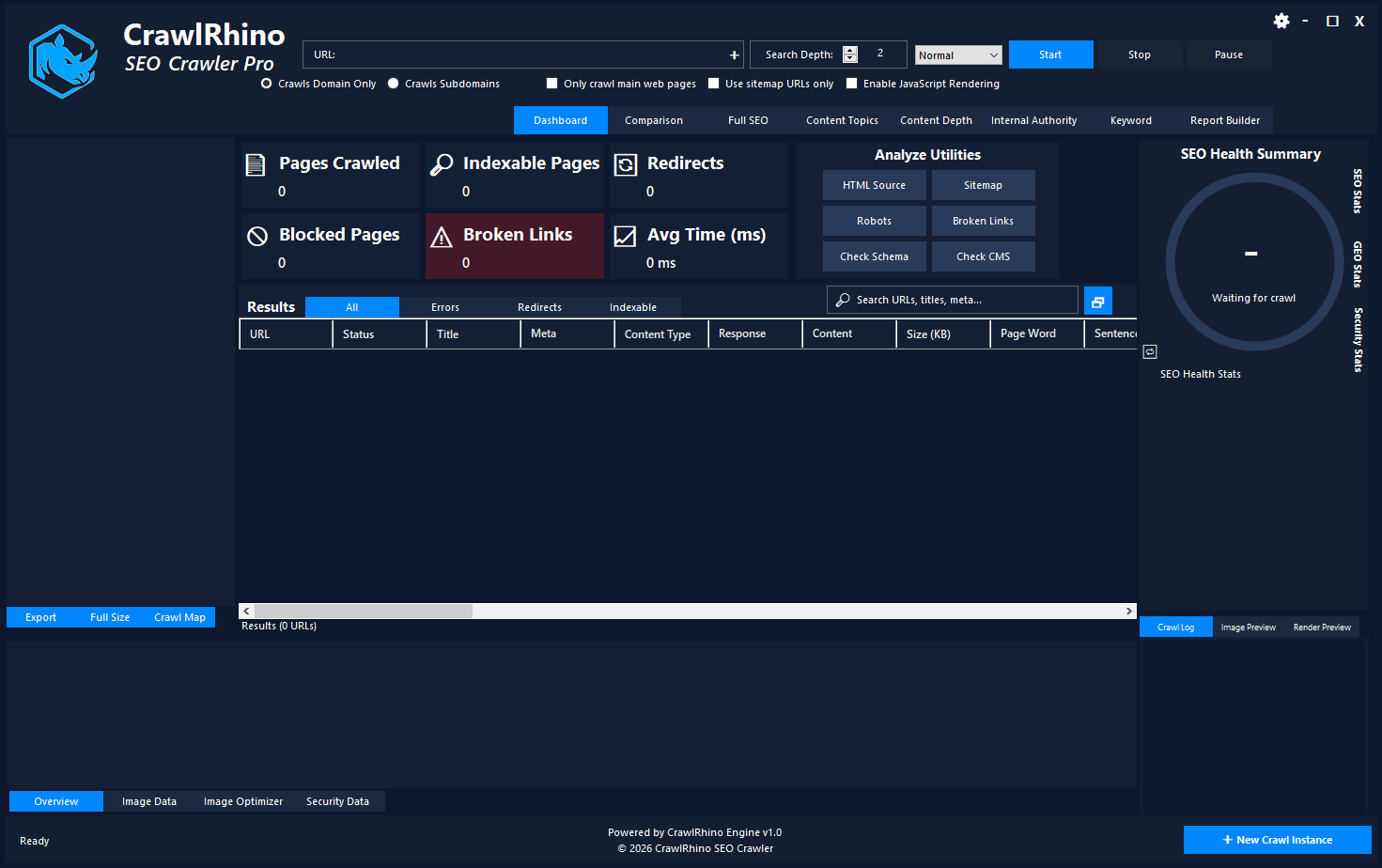
The CrawlRhino Dashboard is the main control center of the CrawlRhino SEO Crawler. From here you can start website crawls, analyze SEO issues, and access powerful technical SEO tools.
If you’re looking for powerful SEO spider software that helps you crawl websites, detect technical SEO issues, and analyze site structure, the CrawlRhino SEO Crawler dashboard is where everything starts.
The dashboard is the main control center of CrawlRhino. From here you can:
- Start a website crawl
- Enable JavaScript rendering
- View crawl statistics in real time
- Analyze SEO issues
- Access advanced tools like image analysis, security checks, and SEO reports
Whether you’re performing a technical SEO audit, analyzing a competitor’s website, or monitoring site performance, the dashboard provides a complete overview of your crawl data and SEO health.
What is the CrawlRhino Dashboard?
The CrawlRhino Dashboard is the central interface of the CrawlRhino SEO Spider tool. It allows users to configure a crawl, analyze website data, and quickly navigate between different SEO analysis modules.
Unlike many cloud SEO tools, CrawlRhino is desktop SEO spider software, meaning it runs locally on your computer. This provides faster crawling speeds and complete control over your SEO audits.
The dashboard is designed for:
- SEO professionals
- digital marketers
- website developers
- technical SEO analysts
- agencies managing multiple websites
Starting a Website Crawl
At the top of the dashboard, you will find the crawl configuration controls.
Enter Website URL
Simply enter the website URL you want to analyze into the URL field.

Example:
https://example.com
Once entered, click Start to begin crawling the website.
Crawl Depth
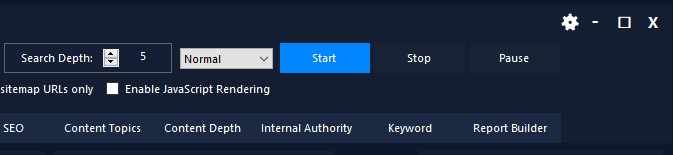
The Search Depth setting determines how many levels of links the crawler should follow.
Example:
- Depth 1 → Homepage only
- Depth 2 → Homepage + internal links
- Depth 3+ → Full site crawl
For most SEO audits, a crawl depth of 3–5 is recommended.
Crawl Mode Options
CrawlRhino allows you to control how the SEO spider scans the website.
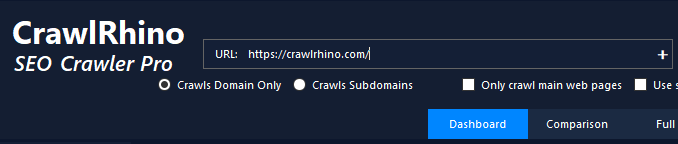
Crawl Domain Only
Limits crawling to the main domain.
Crawl Subdomains
Includes subdomains such as:
blog.example.com
shop.example.com
Only Crawl Main Web Pages
Filters out unnecessary assets like images, scripts, or CSS.
Use Sitemap URLs Only
Crawls only pages listed in the XML sitemap.
This is useful for quickly analyzing indexable pages and sitemap coverage.
JavaScript Rendering
Modern websites often rely on JavaScript frameworks like:
- React
- Angular
- Vue
If your website uses JavaScript to load content dynamically, enable:
Enable JavaScript Rendering
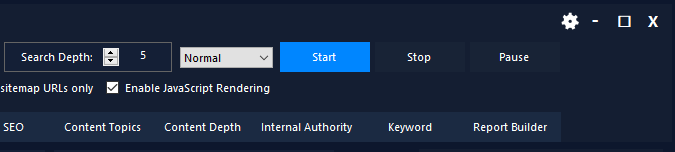
This allows CrawlRhino to behave like a browser and capture content generated after page load.
This feature makes CrawlRhino a powerful SEO spider tool for modern JavaScript websites.
Real-Time Crawl Statistics
Once the crawl starts, the dashboard updates with live data showing how the website is performing.
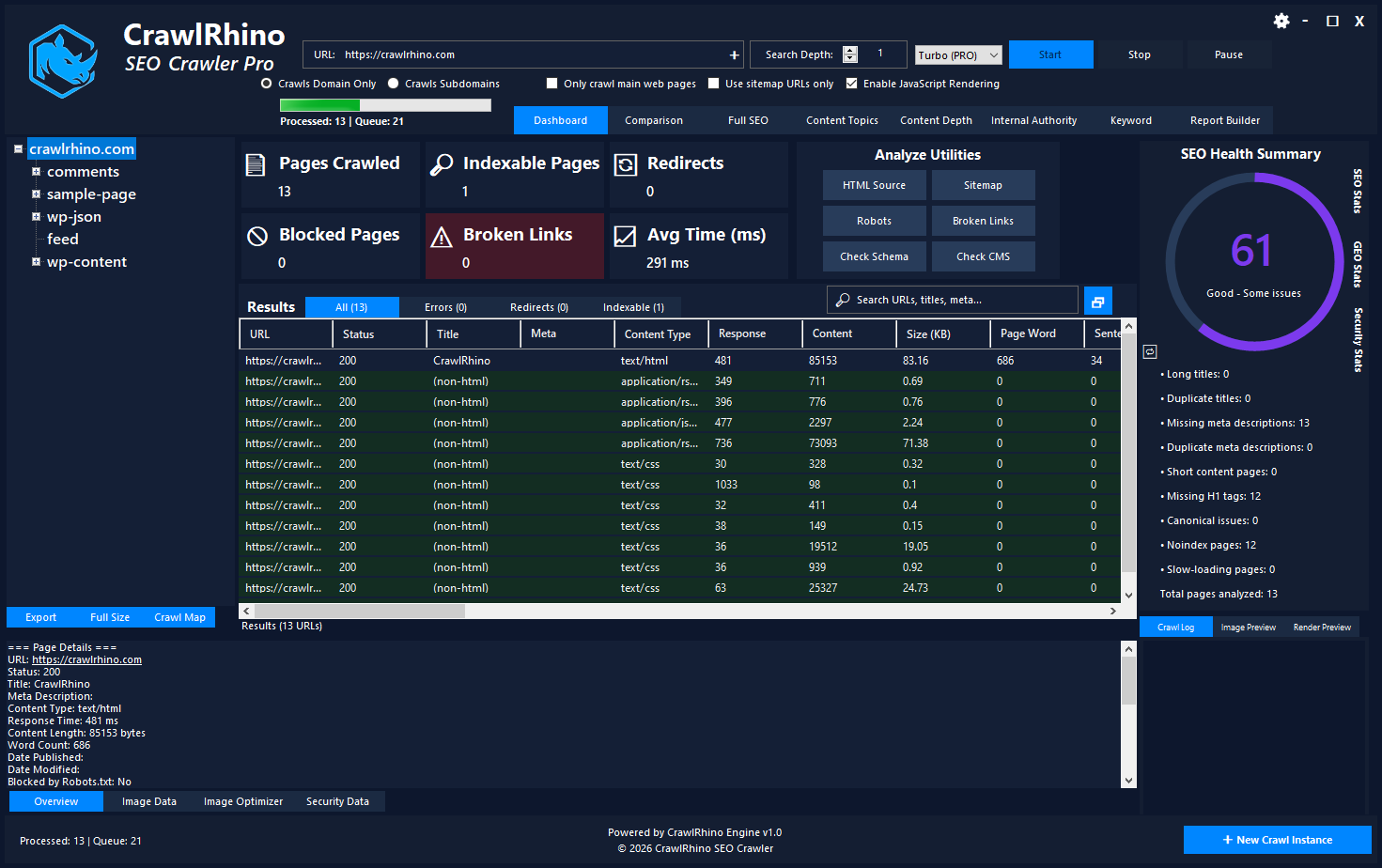
The key crawl statistics include:
Pages Crawled
Shows how many URLs have been discovered and processed.
Indexable Pages
Displays pages that are eligible for search engine indexing.
Redirects
Detects HTTP redirects such as:
- 301 redirects
- 302 redirects
- redirect chains
Blocked Pages
Identifies pages blocked by:
- robots.txt
- meta robots noindex
Broken Links
Shows URLs returning error codes like:
- 404 Not Found
- 500 Server Error
Average Response Time
Measures how quickly pages respond.
Slow response times can impact both:
- SEO rankings
- user experience
Analyze Utilities
The dashboard also includes quick-access analysis tools.
These utilities allow you to inspect individual pages or site resources instantly.
HTML Source Viewer
View the raw HTML source of a crawled page.
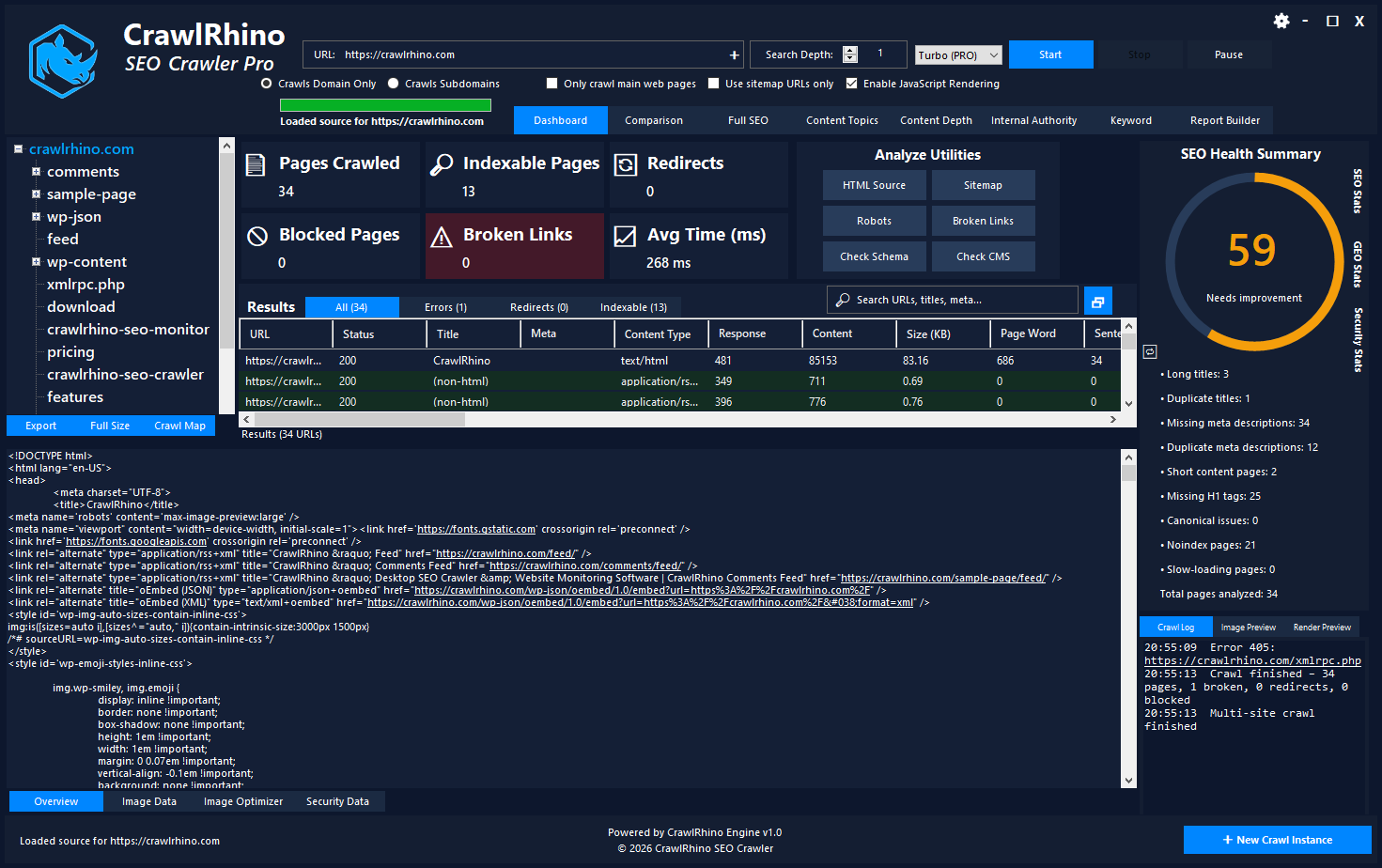
Useful for verifying:
- meta tags
- canonical tags
- structured data
- heading structure
Sitemap Checker
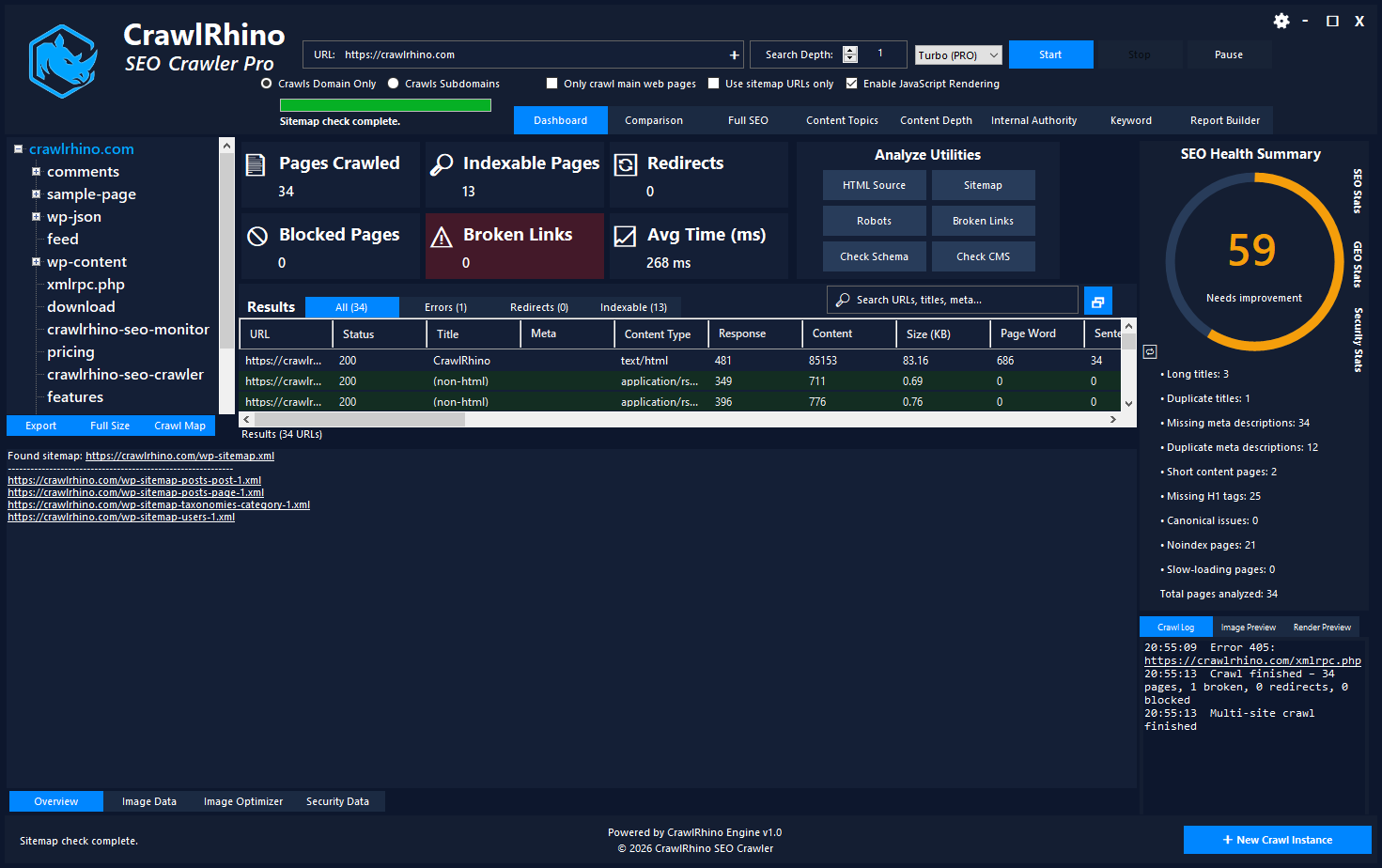
Quickly review the website’s XML sitemap to verify:
- sitemap accessibility
- listed URLs
- sitemap structure
Robots.txt Checker
View the website’s robots.txt file and identify rules blocking search engines.
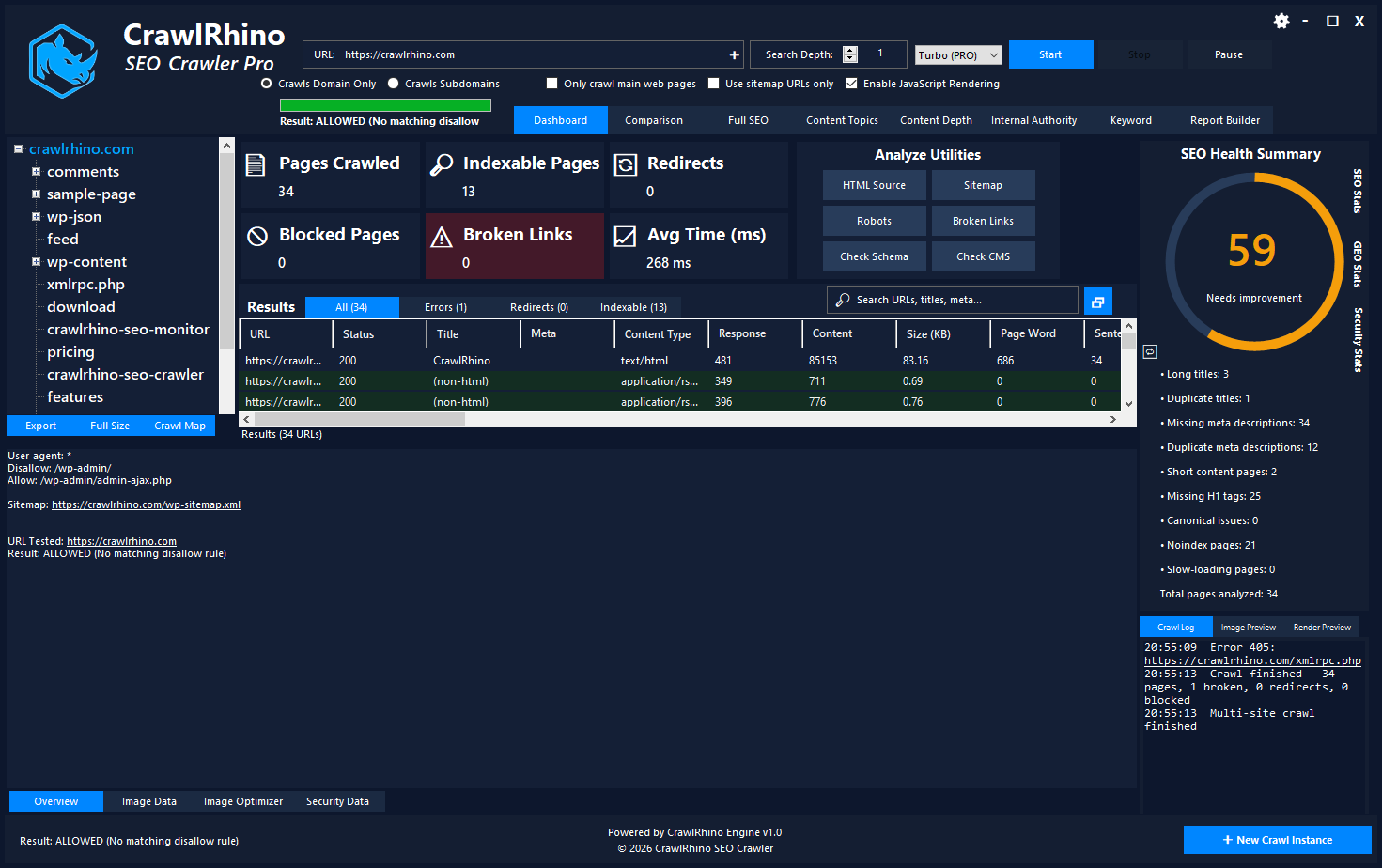
Example directives include:
Disallow: /admin/
Disallow: /private/
Broken Link Scanner
Identify internal and external links returning error codes.
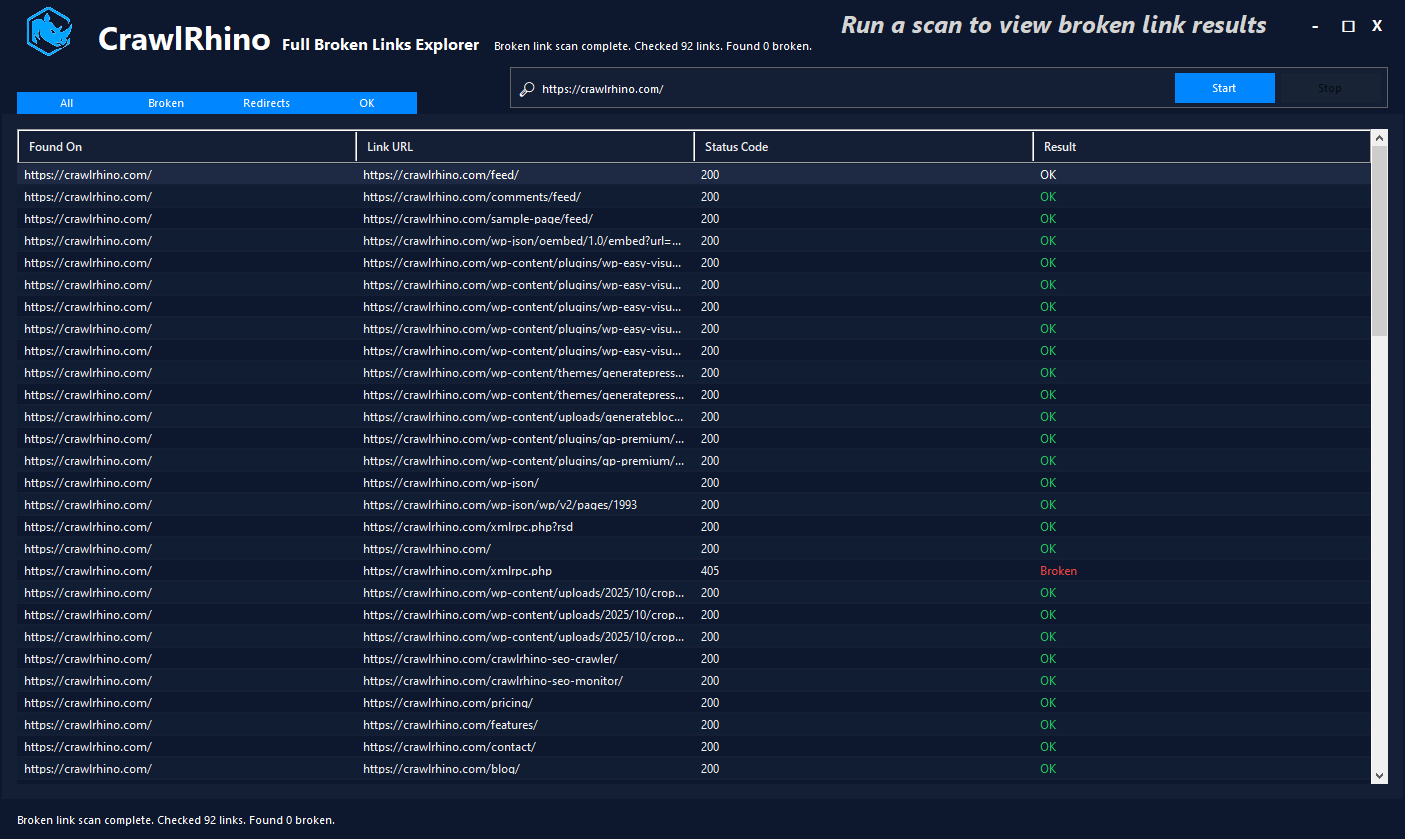
Broken links can negatively affect:
- SEO performance
- user experience
- crawl efficiency
Schema Markup Checker
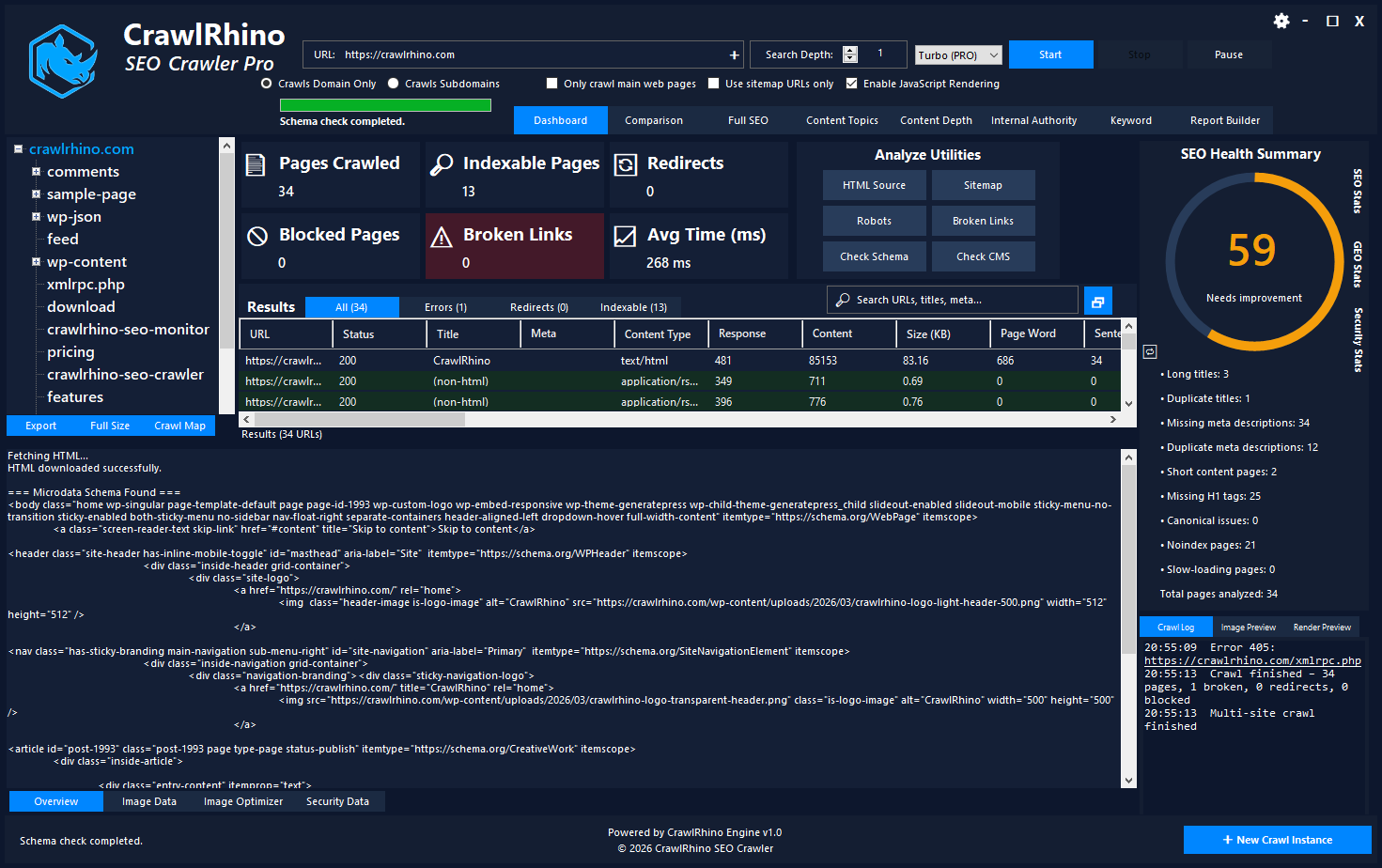
Detect structured data markup such as:
- JSON-LD
- Microdata
- Schema.org
This helps verify that search engines can understand page content.
CMS Detection
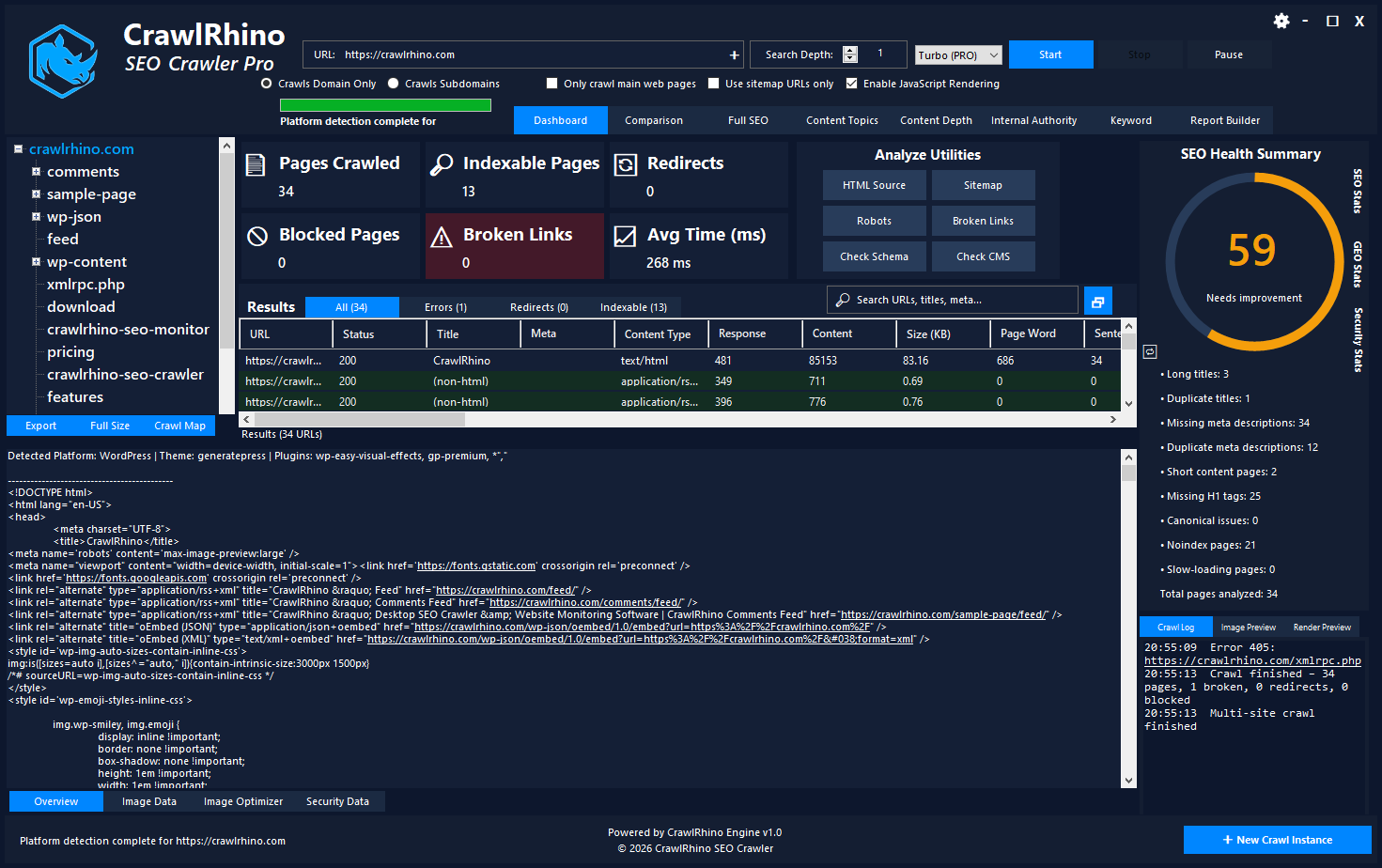
CrawlRhino can detect common content management systems such as:
- WordPress
- Shopify
- Joomla
- Magento
This can help when analyzing competitors or performing technical audits.
SEO Health Score
On the right side of the dashboard is the SEO Health Summary.
This section provides a quick overview of the site’s technical SEO condition.
The score is calculated using factors such as:
- duplicate titles
- missing meta descriptions
- missing H1 tags
- canonical issues
- slow pages
- noindex pages
A higher score indicates better overall SEO health.
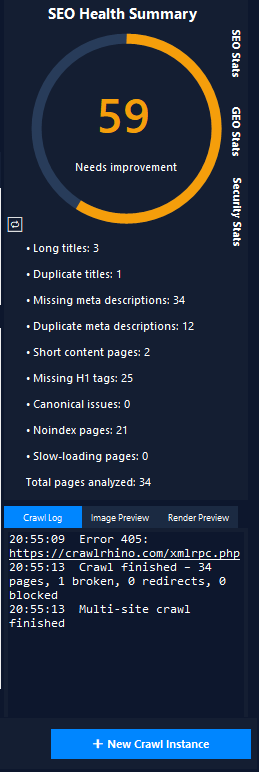
Example score categories:
| Score | Status |
|---|---|
| 80–100 | Excellent |
| 60–79 | Good |
| 40–59 | Needs Improvement |
| 0–39 | Critical Issues |
Crawl Results Table
The main results table shows detailed information for every crawled URL.
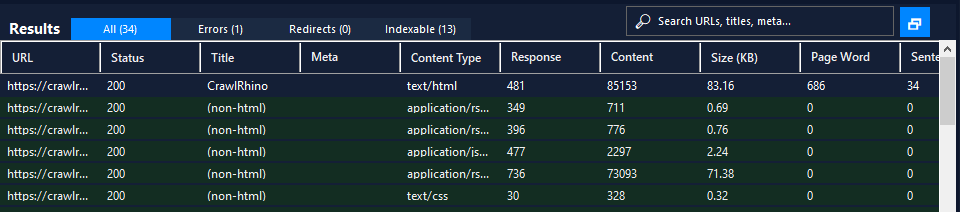
Each row represents a page discovered during the crawl.
Columns include:
- URL
- HTTP Status Code
- Page Title
- Meta Description
- Content Type
- Response Time
- Page Size
- Word Count
This makes CrawlRhino a powerful SEO spider software for technical audits.
You can quickly filter results by:
- errors
- redirects
- indexable pages
- all URLs
Page Details Panel

When you select a URL in the results table, the Page Details panel displays additional information including:
- full page title
- meta description
- content type
- response time
- page size
- word count
- publication date
- last modified date
This provides a deeper look into individual page SEO data.
Additional Analysis Tabs
At the bottom of the dashboard, CrawlRhino includes additional analysis modules.
Image Data
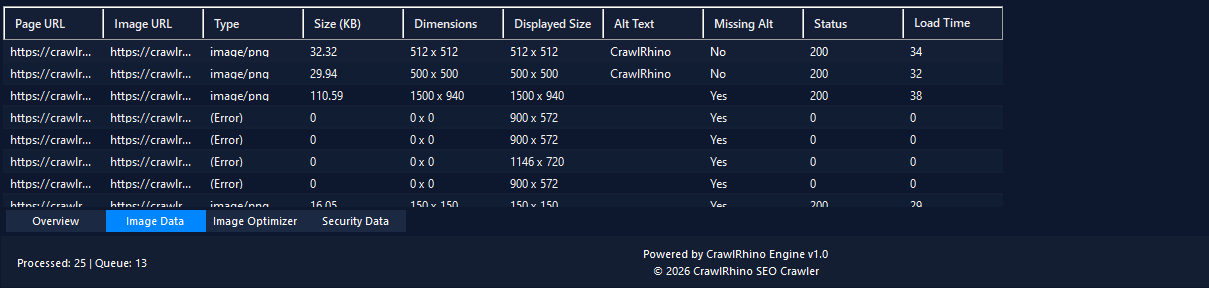
Analyzes images across the website including:
- image size
- dimensions
- missing alt text
- load times
Image Optimizer

Helps reduce image file sizes by:
- compressing images
- resizing oversized images
This improves page speed and SEO performance.
Security Data
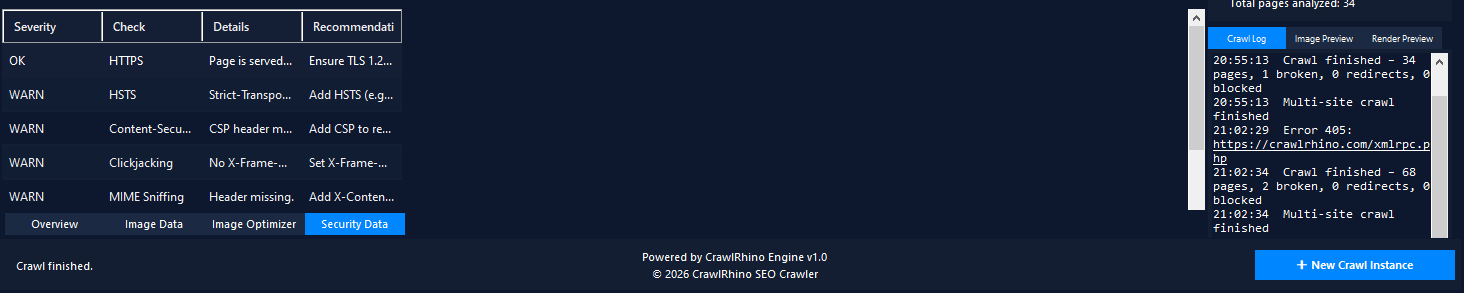
Scans websites for common security issues such as:
- missing security headers
- weak HTTPS configurations
- missing HSTS policies
- content security policies
Security signals can also impact technical SEO and site trust.
Why CrawlRhino is Powerful SEO Spider Software
CrawlRhino combines the features of multiple SEO tools into a single desktop application.
With CrawlRhino you can:
- crawl websites like a search engine
- detect technical SEO issues
- analyze site architecture
- audit page metadata
- detect duplicate content
- optimize images
- check security headers
- export crawl reports
All within one powerful SEO spider tool.
Download CrawlRhino SEO Crawler
If you want to perform detailed website audits and technical SEO analysis, CrawlRhino provides a fast and powerful alternative to traditional SEO spider software.
You can download CrawlRhino and start crawling websites immediately.